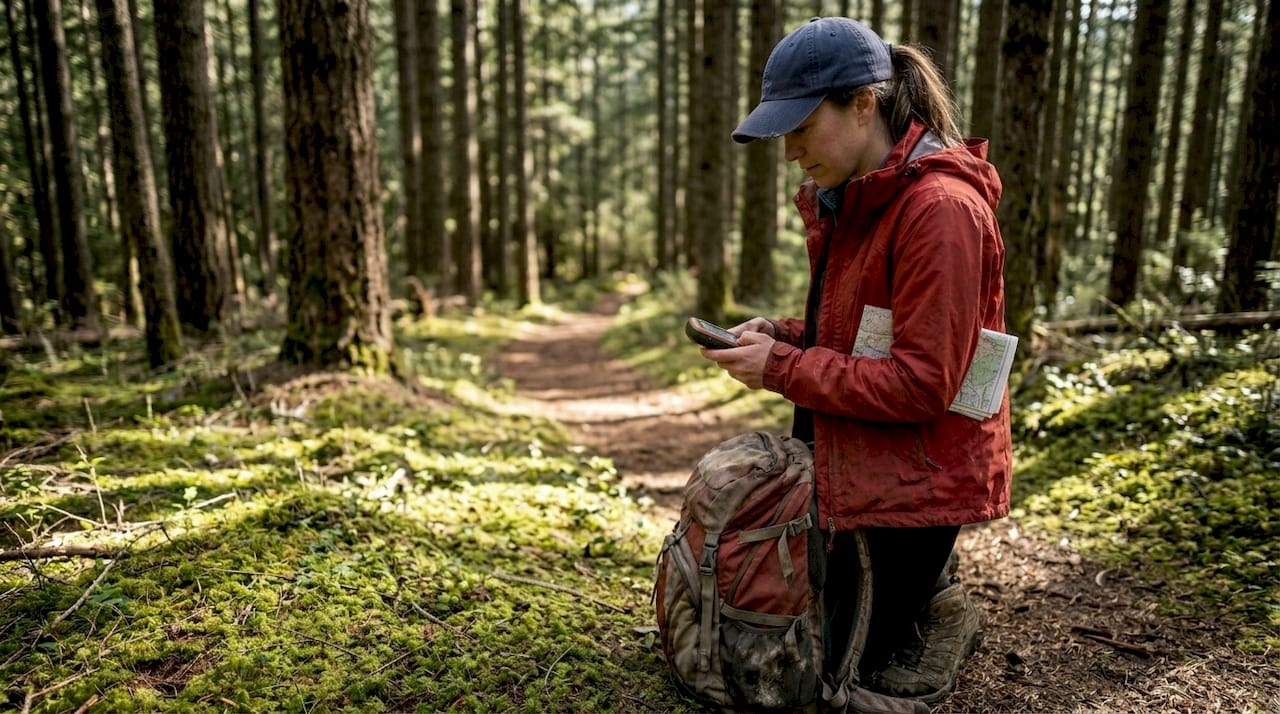
Most hikers assume their smartphone GPS is enough to keep them safe on the trail. Yet smartphone batteries drain in hours, signals vanish under dense canopy, and cold weather can render devices useless when you need them most. GPS technology has transformed how we navigate wilderness, but understanding the differences between devices and combining digital tools with traditional skills separates confident explorers from those who get lost. This guide reveals how to leverage GPS effectively while maintaining the navigation fundamentals that could save your life.
Key Takeaways
| Point | Details |
|---|---|
| Dedicated GPS advantages | Dedicated GPS devices offer longer battery life, better cold weather performance, and higher multi band GNSS accuracy than smartphones. |
| Balance GPS with skills | Relying solely on GPS can leave you stranded when signals fail or batteries die, so reading maps and using a compass remains essential. |
| Test GPS in conditions | Practice in cold and dense terrain to gauge battery life, signal reliability, and overall performance before you rely on it on the trail. |
| Keep map and compass handy | Traditional navigation provides backup and safety when devices fail or are unusable. |
Understanding GPS technology and its role in hiking
GPS uses satellite signals orbiting Earth to pinpoint your exact location anywhere on the planet. When you activate GPS on any device, it communicates with multiple satellites simultaneously to triangulate your position with remarkable precision. For hikers, this technology transforms navigation from an art requiring years of experience into an accessible tool that guides you confidently through unfamiliar terrain.
Smartphones have made GPS ubiquitous, but they come with serious limitations on the trail. Battery life tops the list of concerns. Your phone might last 8 to 12 hours with GPS active under ideal conditions, but cold temperatures, weak signals, and background apps drain power faster. Dense forests and canyon walls block satellite signals, causing smartphones to hunt continuously for connection and burn through battery even quicker.
Dedicated GPS devices offer superior battery life, cold weather performance, and multi-band GNSS accuracy compared to smartphones. These purpose-built units run for 165 to 425 hours on a single charge, depending on the model and settings. They use multi-band GNSS technology that connects to multiple satellite systems like GPS, GLONASS, and Galileo simultaneously, achieving accuracy within 6 feet even under thick tree canopy where smartphones struggle.Cold weather creates another critical divide between device types. Temperatures below freezing degrade lithium-ion batteries in smartphones rapidly, sometimes shutting them down completely. Dedicated GPS units use battery chemistry and hardware designed for extreme conditions, maintaining performance in temperatures that would brick your phone. Understanding the role of GPS in outdoor adventure helps you appreciate why serious hikers invest in specialized equipment.
Pro Tip: Test your GPS device in conditions similar to your planned hike before departing. Run it continuously for several hours in cold weather or dense forest to understand real-world battery performance and signal reliability.
Key advantages of dedicated GPS devices include:
- Rugged construction that withstands drops, water exposure, and temperature extremes
- Physical buttons that work with gloves when touchscreens fail
- Preloaded topographic maps with terrain details smartphones lack
- Longer antenna range for better satellite acquisition in challenging terrain
- Dedicated hardware optimized for one task rather than multitasking
Balancing GPS use with traditional navigation skills
Relying exclusively on GPS creates dangerous vulnerabilities that traditional navigation eliminates. GPS signals disappear in narrow canyons, under rock overhangs, and during solar storms. Devices malfunction, batteries die unexpectedly, and screens crack from impacts. When technology fails in remote wilderness, your ability to read a topographic map and use a compass becomes the difference between finding your way out and requiring rescue.
Over-reliance on GPS weakens spatial awareness and fails in no-signal zones as passive GPS use doesn't stimulate the brain's hippocampus. Following a blue dot on a screen requires minimal cognitive engagement. Your brain stops building mental maps of terrain, tracking landmarks, or estimating distances. This passive navigation atrophies the spatial reasoning skills humans evolved over millennia, leaving you disoriented the moment your device stops working.Active map reading exercises completely different neural pathways. When you study contour lines to predict terrain ahead, identify peaks visible on the horizon, and calculate bearing to your destination, you engage spatial processing centers in ways GPS never triggers. This mental exercise builds intuitive understanding of landscape relationships, helping you recognize when something feels wrong before you've wandered miles off course.
"Traditional navigation tools serve as critical backups when technology fails, but more importantly, they keep your mind actively engaged with the environment rather than passively following directions."
Combining GPS with compass work reduces navigation errors dramatically. Use your GPS to confirm your map position, then plan your route using the map and execute it with compass bearings. This hybrid approach gives you digital precision for position verification while maintaining the cognitive benefits and reliability of analog tools. Your outdoor navigation and camping safety improves when you treat GPS as one tool among several rather than your sole navigation method.
Pro Tip: Practice taking compass bearings to visible landmarks, then hiking those bearings while your GPS is turned off. Check your GPS position after 30 minutes to see how accurately you navigated using only traditional methods.
Essential traditional skills to maintain alongside GPS:
- Reading topographic maps to understand terrain features and elevation changes
- Taking and following compass bearings to navigate without visual landmarks
- Estimating distance traveled using pace counting and time
- Identifying terrain features by comparing landscape to map contours
- Orienting maps using terrain association rather than north arrows
Choosing the right GPS solution for your hiking style
Your ideal GPS setup depends entirely on where you hike, how long you stay out, and what conditions you encounter. A smartphone works perfectly for a 3-hour walk on well-marked trails near civilization where you can recharge afterward. That same phone becomes a liability on a 5-day backcountry trek through unmarked wilderness where the nearest power outlet is 50 miles away.
Smartphones suffice for day hikes on marked trails, while dedicated GPS units are essential for multi-day, off-trail, or winter hikes. Short hikes under 6 hours with clear trail markers and cell service let you rely on your phone's GPS without significant risk. Download offline maps before leaving cell coverage, carry a portable battery pack, and keep your phone in an inside pocket during cold weather to preserve battery life.
Dedicated GPS devices become necessary when conditions get serious. Multi-day trips require battery life smartphones cannot provide. Off-trail navigation demands the precision and reliability only multi-band GNSS delivers. Winter hiking exposes the fatal weakness of smartphone batteries in cold temperatures. Remote wilderness areas where rescue takes days rather than hours leave no room for device failure.
| Feature | Smartphone GPS | Dedicated GPS Device |
|---|---|---|
| Battery life | 8-12 hours active use | 165-425 hours depending on model |
| Cold weather performance | Significant degradation below 32°F | Reliable to -4°F or lower |
| Signal accuracy under canopy | 30-60 feet typical | 6-10 feet with multi-band GNSS |
| Durability | Fragile screens, water-resistant | Rugged construction, fully waterproof |
| Map detail | Limited without data connection | Preloaded topographic maps |
| Cost | Device you already own | $300-$700 for quality units |
Key factors for device selection include:
- Battery life requirements based on trip duration and charging access
- Accuracy needs for on-trail versus off-trail navigation
- Durability requirements matching terrain difficulty and weather exposure
- Cold weather performance if hiking in winter or high elevations
- Budget constraints balanced against safety requirements
Devices like the Garmin GPSMAP 67i represent the gold standard for serious hikers, offering 165-hour battery life, multi-band GNSS, satellite communication, and rugged construction. More budget-friendly options like the Garmin eTrex series provide solid performance for less demanding conditions. Your hiking trip planning guide for safe adventures should include honest assessment of which device category matches your typical outings.
Maximizing GPS effectiveness and hiking safety
Owning a GPS device means nothing if you don't use it correctly. The most common mistakes hikers make involve outdated maps, dead batteries, and failure to set waypoints before problems arise. Smart GPS use starts before you leave home and continues throughout your hike with disciplined power management and backup planning.

Regularly update GPS device firmware and maps before every major trip. Manufacturers release updates that improve satellite acquisition, fix bugs, and add features. Map updates correct trail changes, add new routes, and update terrain features. Running outdated software or maps from three years ago undermines the accuracy and reliability you bought the device to provide. Check for updates at least monthly during active hiking seasons.
Effective GPS use combined with preparedness tools enhances hiking safety and reduces emergencies significantly. Always inform someone about your planned route, expected waypoints, and return time. Share your GPS track in advance so they know exactly where to send rescuers if you don't check in. This simple step has saved countless lives when hikers became injured or lost.
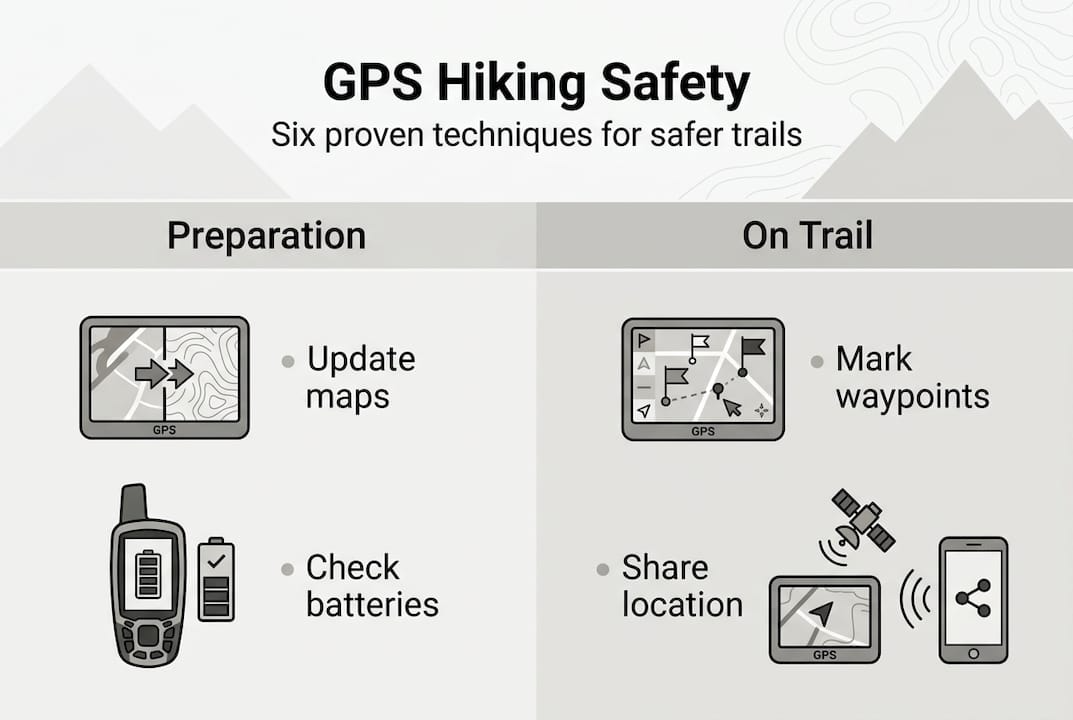
Pro Tip: Mark a waypoint at your trailhead parking spot immediately upon arrival. This gives you a guaranteed destination if you become disoriented, and the GPS can calculate direct distance and bearing back to your vehicle from anywhere.
Best practices for GPS safety and effectiveness:
- Download and cache all maps for offline use before losing cell service
- Set waypoints at every major trail junction and decision point
- Enable track recording to create a breadcrumb trail you can backtrack
- Carry backup battery packs or lithium batteries for your GPS unit
- Bring paper maps and compass as redundant navigation systems
- Practice using your GPS features at home before critical field use
- Monitor battery percentage and switch to power-saving modes proactively
- Protect your device in waterproof cases during rain or water crossings
Power management extends your GPS capability dramatically. Most devices offer power-saving modes that reduce screen brightness, limit satellite polling frequency, and disable unnecessary features. Switching from continuous tracking to waypoint navigation can triple battery life. Turn off Bluetooth, WiFi, and any connectivity features you don't actively need. These small adjustments mean the difference between 200 hours of battery life and 400 hours.
| Power-saving technique | Battery life extension |
|---|---|
| Reduce screen brightness 50% | +15-20% battery life |
| Switch to power-save GPS mode | +40-60% battery life |
| Disable Bluetooth and WiFi | +10-15% battery life |
| Turn off backlight between uses | +20-25% battery life |
| Use waypoint navigation vs continuous tracking | +100-150% battery life |
Your essential tips and packing list for campers should include backup power solutions and redundant navigation tools. Carry lithium batteries that perform better in cold weather than alkaline. Pack a portable solar charger for trips longer than your device's battery life. Always bring paper maps and a compass as completely independent backup systems. Understanding why you should pack survival gear reinforces that redundancy saves lives when primary systems fail.
Explore reliable hiking gear to complement your GPS needs
GPS technology provides navigation confidence, but comprehensive preparation requires quality gear across all categories. Your GPS tells you where you are, but proper equipment keeps you safe, comfortable, and capable of handling emergencies when they arise. Life Camp Adventure specializes in the reliable camping equipment and survival essentials that transform good hikers into prepared adventurers.

From durable tents that withstand unexpected storms to emergency supplies that provide security in crisis situations, having the right gear matters as much as knowing your location. Explore our curated selection of essential camping gear for explorers designed for the realities of backcountry conditions. Every product we recommend meets the durability and performance standards serious outdoor enthusiasts demand. Discover why choosing quality camping equipment makes the difference between struggling through challenges and confidently handling whatever the trail presents.
Frequently asked questions
What is the role of GPS in hiking?
GPS positions you precisely on the landscape, enabling accurate route tracking and providing your exact coordinates for emergency location services. It supplements traditional navigation by confirming your map position and helping you stay on course through unfamiliar terrain. However, GPS should enhance rather than replace fundamental map and compass skills that remain reliable when technology fails.
Should I use my smartphone or buy a dedicated GPS device for hiking?
Smartphones work well for short day hikes on marked trails with easy access to charging, but dedicated GPS devices become essential for multi-day trips, off-trail navigation, or winter conditions. Dedicated units provide 10 to 40 times longer battery life, better accuracy under tree cover, and reliable performance in cold weather that shuts down smartphones. Assess your typical hiking style and conditions to determine which device category matches your needs.
How does GPS accuracy differ between devices?
Smartphone GPS typically achieves 30 to 60 feet accuracy under good conditions but degrades significantly under forest canopy or in narrow canyons. Dedicated GPS devices using multi-band GNSS connect to multiple satellite systems simultaneously, maintaining 6 to 10 feet accuracy even in challenging terrain. This precision difference matters critically for off-trail navigation where small errors compound into dangerous route deviations.
Can I rely solely on GPS without learning map and compass skills?
Relying exclusively on GPS creates dangerous vulnerability because signals fail in canyons, devices malfunction, and batteries die unexpectedly in remote areas. Traditional map and compass skills provide completely independent backup navigation that works regardless of satellite coverage or battery status. Active map reading also exercises spatial awareness that passive GPS following cannot develop, improving your overall navigation judgment and safety.
How do I extend GPS battery life on long hikes?
Reduce screen brightness by 50%, switch to power-saving GPS modes that poll satellites less frequently, and disable Bluetooth, WiFi, and unnecessary connectivity features. Use waypoint navigation instead of continuous track recording when possible, and turn off the backlight between navigation checks. Carry backup lithium batteries or portable power banks, and keep your device in an inside pocket during cold weather to prevent temperature-related battery drain.
Recommended
- Master the role of maps in outdoors for safer adventures
- Prepare for Hiking Step by Step: Essential Tips for Beginners
- Role of GPS in Outdoor Adventure Safety and Success
- Outdoor Navigation – Why It Matters for Camping Safety
- Spring Tech Check: Best GPS, Rangefinders, & Magnetic Speakers Guide – Aiming Fluid Golf
